Zoho CRM for Insurance Agents: Fit, Trade-offs & Setup (2026)
Zoho CRM can be a strong sales layer for the right agency—but only if you keep its job clear.
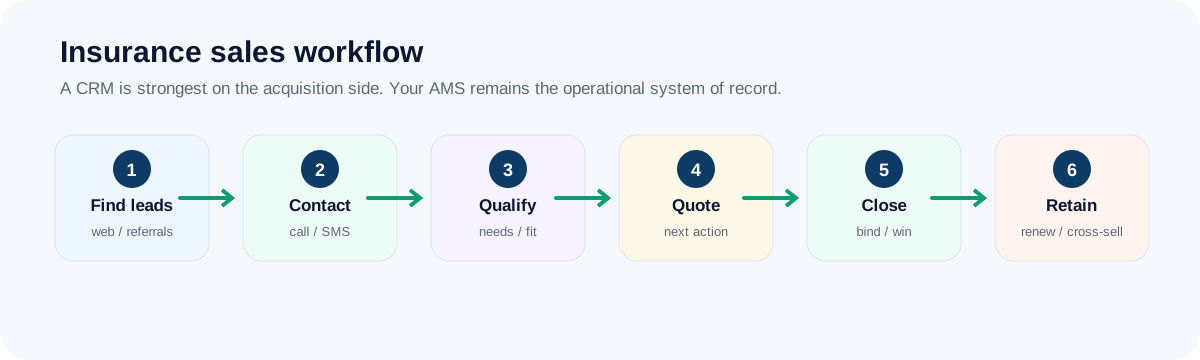
Where Zoho CRM fits
Custom fields and automation within a broad business-software ecosystem. For an insurance agency, the best implementation is usually narrow at first: leads, activities, next actions and closed-won visibility. Keep policy servicing and carrier-centric work in the system built for it.
Where Zoho CRM shines for insurance agencies
- Custom fields, workflow rules and dashboards at a lower cost than heavier platforms
- A free edition that can suit a very small team
- A natural fit if you already use other Zoho apps
- Room to model your own process: source, product line and follow-up stage
- A solid choice when someone on the team enjoys configuring software
A day with Zoho CRM (representative scenario)
The agency’s operations lead has set up a custom “product interest” field and a rule that assigns new leads by line of business. Producers see a short list of leads to contact, and the owner opens a dashboard by lead source and stage. When the team adds a fourth producer, they check whether their edition still fits.
Representative scenario for illustration, not a customer result.
Where Zoho CRM is a weak fit
Zoho rewards people who configure. If nobody owns setup, you can end up with a half-built system that producers avoid. Editions differ in what they include (users, automation, records), and moving between editions or systems later can be real work.
- Teams that want to be productive on day one with no setup
- Agencies with nobody to own configuration and maintenance
- Groups planning to stay on a free edition as they grow past a few users
Insurance-sales scorecard
Editorial fit scores out of 10, based on the workflow criteria in our review methodology.
What to check before you pay
- Which edition includes the workflows, custom fields and reports you need, and its limits on users, records and automation or API usage.
- Who on your team will own configuration, and how many hours a month that will take.
- How much of Zoho’s wider suite you would really use. Avoid buying a suite you will not touch.
- The migration effort if you outgrow your edition.
Start with one pipeline and one automation rule, then decide how much configuration you are willing to own.
Visit Zoho CRM →A one-week pilot plan for Zoho CRM
- Name one person who owns configuration.
- Start with the standard modules and add only a few custom fields (source, product line, next action).
- Build one lead-assignment rule and one stale-lead workflow rule.
- Build a dashboard by lead source and stage.
- Check the limits of your edition (users, records, automation, API calls) before you import real data.
Frequently asked questions
Is Zoho CRM’s free edition enough for an insurance agency?
For a very small team focused on basic lead and deal tracking, it can be. Check the limits on users, records and automation before you rely on it, and note what would trigger an upgrade.
How hard is Zoho CRM to set up?
It involves more decisions than simpler tools. Budget time for someone to configure fields, workflows and dashboards, and keep the first version deliberately small.
Verdict
Zoho CRM belongs on the shortlist when flexible lower-cost configuration is the problem you are solving. It should not be ranked as “best insurance CRM” without that context.
Keep reading
Primary sources & verification
Product facts below are based on current vendor documentation. Pricing, plans and free-tier limits can change.